QR Studio.
Create QR codes, photo pages and printed signs in one workspace.
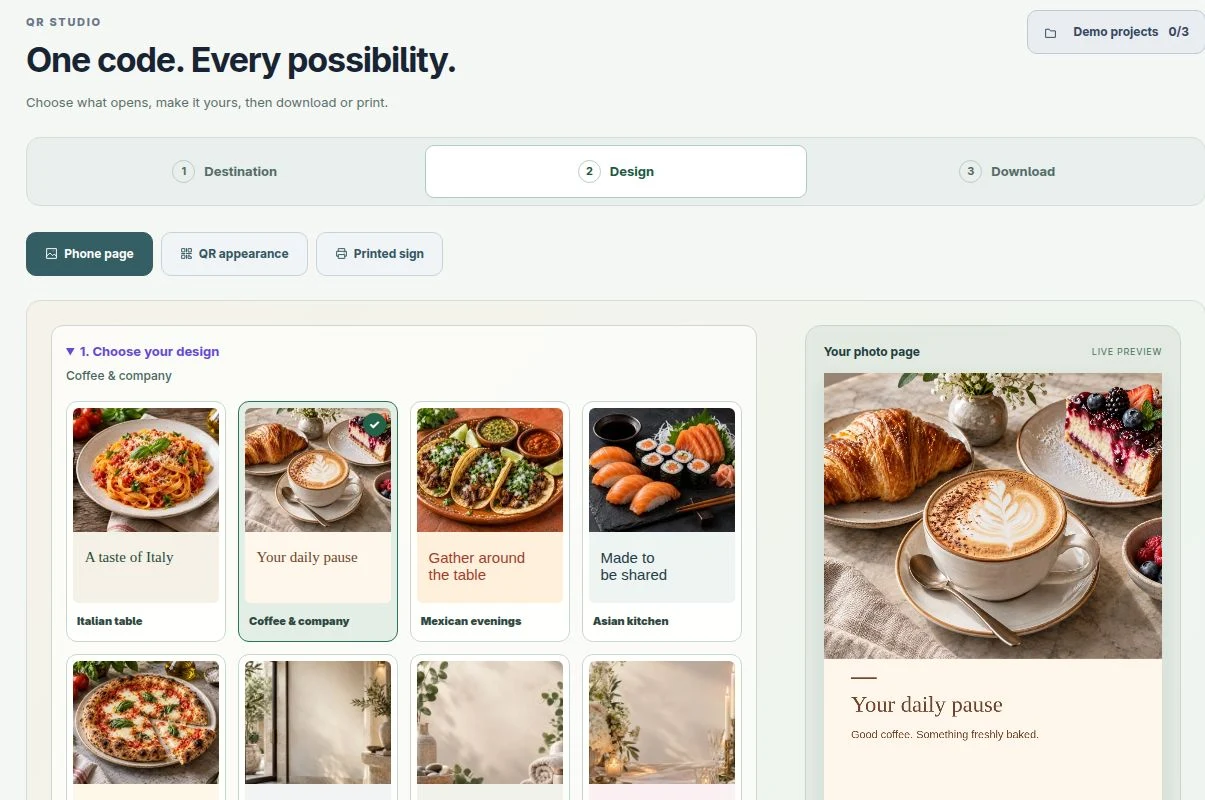
One code. Every possibility.
Choose what opens, make it yours, then download or print.
What should people open?
Choose a landing page design in the Design step. Sign in when you are ready to publish it.
Already have a menu, flipbook or booking page? Paste its public link above.
QR appearance
One QR design for every destination, download and printed sign.
Choose your page or printed sign
Printed signs are optional. Skip this step if you only need a QR code.
QR appearance styles the code. Accent colour styles the paper. Neither changes the destination page.
A fixed code does not need saving. Its website address cannot be changed later.
Ready to share?
No account needed. The contents of this code cannot be changed later. Fixed codes are not added to your account archive.
Saving publishes this landing page to anyone with its QR link.
More QR tools
Where should your QR code lead?
Choose a starting pointEditable website and photo codes use a VikingTools link you can update from your account. Fixed codes store their contents directly and can be made without an account.
Already have editable codes? Open your QR library →
Make a code people can use.
Made on your device · Fixed contentsYour QR code appears here
Choose a type, add the details and create it.
PNG is ready for sharing. SVG stays sharp at any print size. Print / save PDF prints only your code.
Scan the downloaded code with your phone before printing. These are static codes: changing the destination requires a new QR code.
Make many codes
Paste one link or text per line, or choose a CSV with content and optional label columns. Download a ZIP with SVG codes and a printable sheet.
Read an existing code
Choose a QR image to see what it contains. It stays on your device and links do not open automatically.
A beautiful first impression. One scan away.
Start with a finished design. Make it yours, then save an editable QR code to your library.
Choose where your code should lead.
Choose a website or a photo landing page. Save the code to your account, then update its destination later from your QR library.
One printed code. A destination you can update. Sign in to save your code and manage future changes from your QR library.
Sign in to get started →Create the editable code before you print. After saving, download its image from your QR library and test it on a phone.
DESIGNED TO BE NOTICED
A small sign. A beautiful first impression.
Turn your menu, website or booking link into a sign you’ll be proud to put on the table. Start with photography, expressive illustrations or a timeless plain design.
Find your design- 58 ready-made styles
- A5 signs · A4 posters · cards
- Print or save as PDF
Real layouts from this tool · example QR links
Your designItalianBrowse 58 styles
Choose a ready-made design
Pick a style, then make it yours. Your link and business name stay unchanged.
Browse a collection, then choose photos, illustrations or a plain finish.
Photos and illustrations are examples. Choose artwork that suits your business; photos do not show your own food or venue.
Your preview updates automatically as you edit.
Printing tips
Print at 100% scale, disable browser headers and footers, and use the paper size shown. Enable background graphics for full backgrounds. Most printers leave a small paper margin; use borderless printing if supported. Test a printed code with your phone before making copies.
Worked example
Print a link people can scan
Input: Enter https://vikingtools.no/menu-examples as the destination and create a website QR code.
Result: The code takes a phone to the destination when scanned. Test it with your own camera before printing.
Meaning: An editable hosted code can point to a new destination later without changing the printed pattern.
Remember: Keep a clear margin and strong contrast. Editable codes depend on the hosted service remaining available; test the final printed size.
Praktisk eksempel
Skriv ut en lenke som kan skannes
Utgangspunkt: Bruk https://vikingtools.no/menu-examples som mål, og lag en QR-kode for nettsiden.
Resultat: Når koden skannes, åpnes målet på telefonen. Prøv med ditt eget kamera før du skriver ut.
Forklaring: En lagret, redigerbar kode kan få et nytt mål senere uten at det trykte mønsteret endres.
Husk: Behold en tydelig marg og god kontrast. Redigerbare koder er avhengige av at tjenesten er tilgjengelig. Test den ferdige utskriften.
A few useful things to know
Does this QR code expire?
Static QR codes have no VikingTools expiry. Signed-in editable QR codes use a permanent VikingTools link, so you can change their destination later. The link depends on VikingTools remaining online.
How do I check it?
The builder checks contrast and, where your browser supports it, tries to decode the finished image. Always scan the downloaded file with your phone before printing, especially if you added a logo.
Is my contact or Wi-Fi password uploaded?
Static QR content, imported contact files and logos are processed in your browser. Editable QR destinations and optional landing-page photos are stored with your account. A QR code can be read by anyone who sees it, so share Wi-Fi passwords and personal details carefully.